Lost money on your first real Binance trade? Stop, size down or go back to demo
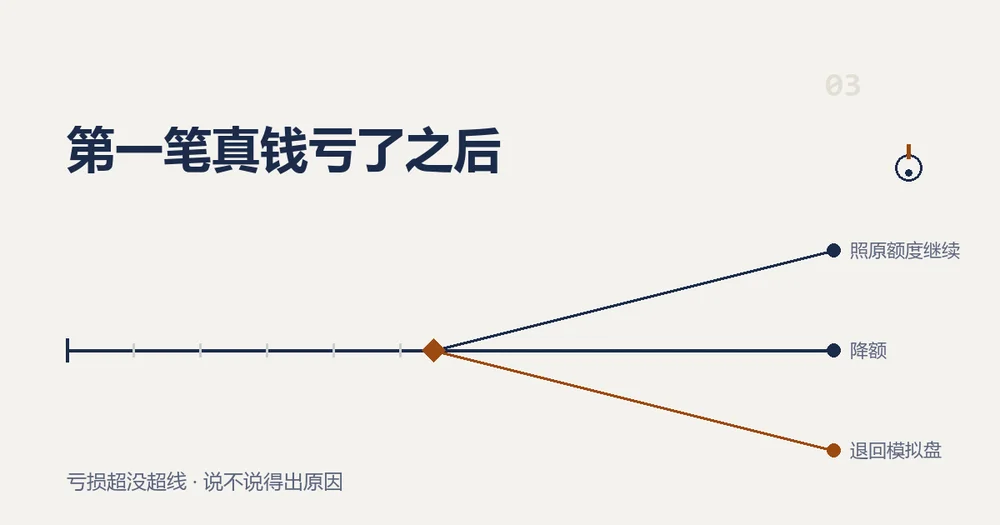
What you do after a losing first trade depends on two questions. Did the loss go past the limit you set before you placed the order? And can you point to the step where it went wrong? Inside the limit and you know why: carry on at the same size. Inside the limit but you can't say why: trade smaller and record more. Over the limit: stop using real money for now and go back to demo to rebuild whichever habit broke, whatever the reason turns out to be.
Answer both from the trade record, not from memory. That means the first job is getting the record out of your account.
In this read
Where to find and export your Binance spot trade history
On demo you keep your own notes; the Binance help page "How to Use Binance Demo Trading?" lists "all export features" among the things futures demo trading does not support. Live spot trades are different: they can be exported as a file. The help page "How to Download Spot Trading Transaction History Statement?" gives this route for the website (checked October 2026):
- Click the [Profile] icon, then go to [Orders] - [Spot Order].
- Click [Trade History] - [Export Trade History].
- Pick the date range and click [Generate]. You get a notification when the statement is ready; click [Download] to save it as a CSV file.
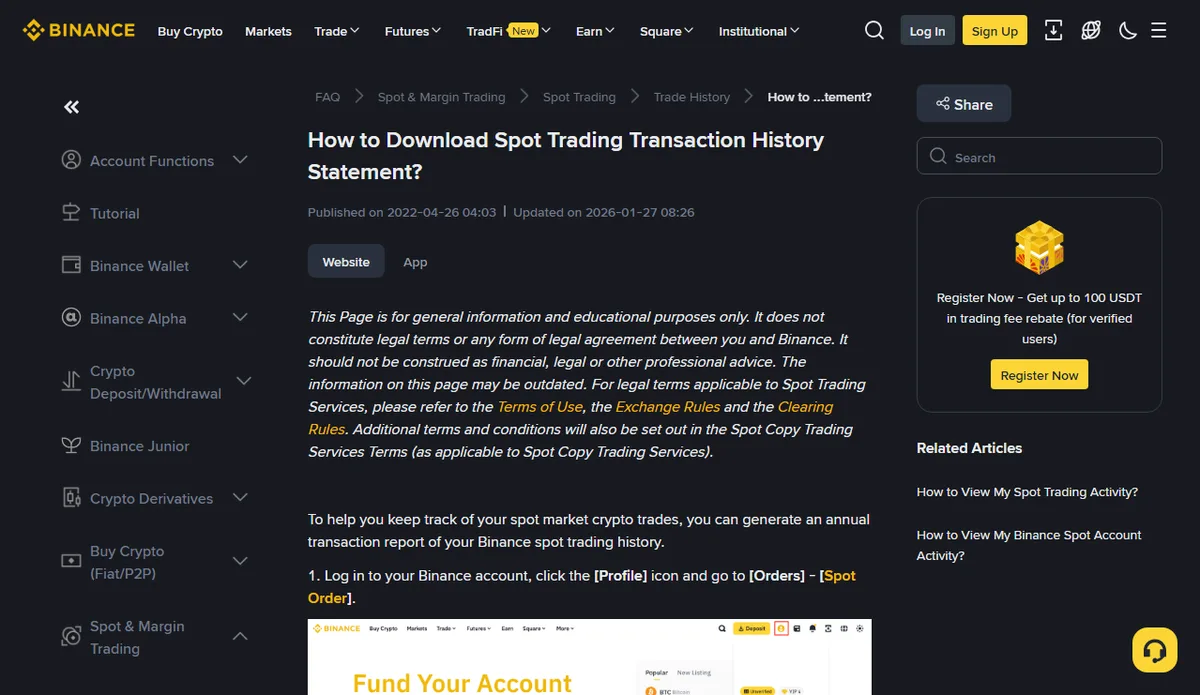
Two limits on that page are easy to miss. You can generate only 5 statements a month, and the download link is kept for 7 days. With one trade to look at, there is little point spending a statement on it straight away; export once the current batch of trades is done. In the app, the [Order History] or [Trade History] tab has a download icon in the top-right corner: anything within the last 6 months is available immediately, up to 10,000 rows per export. These figures were read off the help page in October 2026; Binance adjusts quotas and retention, so go by what the page says when you open it.
From the file you need price, quantity, fee and time. You also need something the file can't give you: the plan you wrote before the order — size, stop price, reason for buying. The file says what happened; the plan says what was supposed to happen. Put them side by side and both questions answer themselves.
Question one: did the loss go past the limit you set beforehand?
The limit is two numbers fixed before the order: the most you would put in, and the loss at which you would get out. Working back from an affordable loss shows how to set both. Check each:
- You put in more than the planned size: over.
- The loss, counting the fee on both the buy and the sell, is bigger than the planned stop: over. No stop placed, a stop placed and then cancelled, or price through the stop while you waited — all land here.
- Both within plan: inside, even if the percentage looks ugly.
Only these two checks count. A planned loss is a cost the method was always going to charge. An unplanned one, even a small one, tells you the plan did not control your hands.
No written plan at all? Treat it as over. Without a limit there is nothing to stay inside.
Question two: can you name why the first trade lost?
Split the trade into four parts and hold each against the export:
- Entry. Was the fill the price you planned? With a market order, how far was the fill from the price on screen when you clicked?
- Size. Does quantity times fill price match the planned amount?
- Exit. Did the stop trigger, did the take-profit trigger, or did you click sell yourself? If you clicked, what was going through your head?
- Cost. What share of the trade did the two fees take? On a small trade this can weigh more than expected; fees on small trades works through the sums.
Naming the part and the reason counts. "The market turned" and "bad luck" don't, because neither tells you what to change next time.
Check your demo log too. Did the same approach work there? If one of the four items in winning on demo, losing live matches, you are halfway to the cause.
Inside the limit, reason known: keep the same size
Of the three outcomes, this one asks for the least change. Size stays, stop rule stays, and the next order follows the plan. Fix only the part you identified: if you sold early by hand, place the stop and take-profit together next time and leave them alone.
Mark this trade in your log with a line on what you changed, then look back at that part after a full batch.
The one thing to watch for is a quietly bigger next trade meant to win the loss back. That is how the next trade goes over the limit.
Inside the limit, reason unknown: trade smaller — but not too small
Not finding the cause usually means the record is too thin, or there are too few trades to show a pattern. Carrying on now is about collecting evidence, so lower the size and add one column per trade: why you clicked when you did.
There are two floors. The first is the pair's minimum order value: below it the order is simply rejected, and order rejected? shows where to read that number. The second is fees. The smaller the trade, the bigger the share two fees take, and go low enough and most of what your log shows as loss is fee, which makes the real cause harder to see. Run the size you have in mind through the small-trade cost calculator before settling on it.
There is no universal right number. What you can fix in advance: write the reduced size at the top of your log and leave it alone while you trade at it, and write down when you go back up — for example, "every trade in this batch has a recorded reason for the win or the loss". Go back up when that is true, not after a set number of days.
Over the limit: pause real money and drill the broken step on demo
Going over means the plan did not hold during execution. That is not a size problem and trading smaller will not fix it, so real money waits.
You can reset the demo balance first. "How to Use Binance Demo Trading?" says to go to [Assets], choose the account to reset (Spot or Futures) and choose [Reset]; any pending orders must be cancelled before the reset works. The reset clears the balance only. Keep the same log going, and copy the real trade into it, marked "live".
What to drill depends on which limit broke:
- Size went over: write the amount in the log first, then open the order form. Drill until you don't place an order without it.
- Loss went past the stop: rehearse placing stop-loss and take-profit orders again, and this time do not cancel them.
- Added to a loser, or held on: practise one trade at a time — close each as planned before opening the next.
Coming back is not a calendar decision. Run through the three readiness tests again and tick everything on the readiness checklist. What demo has to show this time is that you followed the plan, not that you made money — the disclaimer at the end of Binance's demo trading help page says performance on the Demo Trading Platform is not a reliable indicator of future performance or returns when live trading.
When to close the order screen for the rest of the day
All three routes assume you can still look at a spreadsheet calmly. If any of these show up, close the order screen and make the two checks tomorrow:
- You want the next trade bigger so it wins back the loss.
- You are about to move in money you never meant to trade with.
- You feel like switching to a coin you have not looked into, just to change your luck.
- Several orders in a row were not in any plan.
You don't need the export to spot these. On a day you stop, add one line to the log: the time, what you wanted to do, and why you didn't. Next time you review, read that line next to the losing trade; it shows which step needs holding first.